If you run exams at a university, an enterprise or a government body, you have probably used the word "proctoring" a dozen times this week. But when a new faculty member asks what it actually covers — or your team is weighing the move from exam halls to online delivery — the definition starts to matter. This guide is the plain-English version: what proctoring is, the five forms it takes, what the AI variety actually watches, and how to choose.
What proctoring means
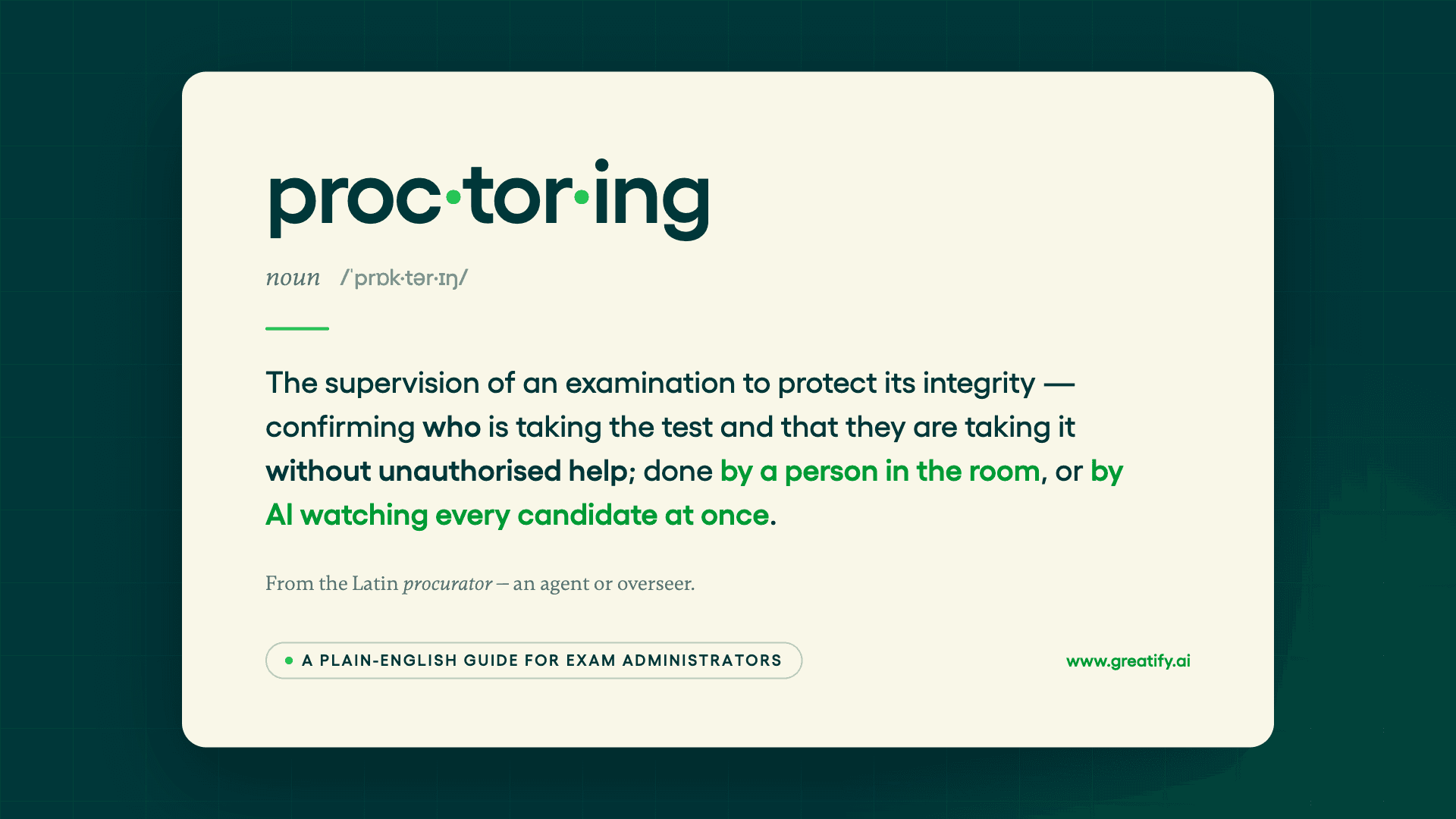
Proctoring is the supervision of an examination to protect its integrity. It answers two questions: is the person taking the test who they claim to be, and are they taking it without unauthorised help? In a physical hall, that supervision is a person — an invigilator checking IDs, watching rows of desks, handling incidents. Online, the same role is played by software monitoring candidates through their webcam, microphone and screen, by a remote human proctor, or by both together.
The word comes from the Latin procurator — an agent or overseer — and universities have used it for centuries. What has changed is not the job; it is who, or what, does the watching.
Why it matters for high-stakes exams
Not every assessment needs supervision — a formative quiz can run on trust. The calculation changes when results carry consequences: university entrance and end-of-term examinations, professional certification and licensure, government recruitment tests, regulated compliance training. In those settings a compromised result is not just an integrity problem; it touches accreditation, legal standing, hiring decisions and public trust. That is why proctoring exists as a formal function rather than an administrative habit — and why "decades of paper leaks and evaluation delays" created what our founder calls a trust deficit in examination systems, one that technology is now closing.
The five types of proctoring
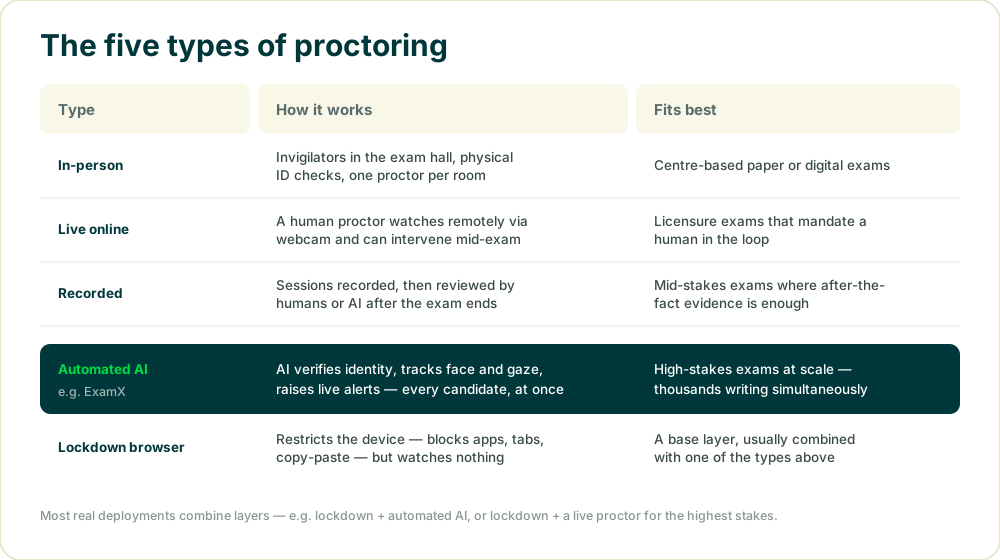
In-person invigilation is the classic form: proctors in the hall, physical ID checks, roughly one supervisor per room. It works, and it scales exactly as well as your staffing budget does.
Live online proctoring puts a remote human on the session by webcam, with the authority to intervene mid-exam. Some licensure and accreditation contexts require exactly this; it carries per-session cost and scheduling by nature. ProctorU's Live+ tier is the best-known example — we covered it in our three-way comparison.
Recorded proctoring captures the full session — video, audio, screen — for review after the exam by humans, AI or both. It trades live intervention for evidence, which is often enough at mid stakes.
Automated AI proctoring monitors every candidate simultaneously in real time — identity verification, face and gaze tracking, device activity, live alerts — with no scheduling constraint, which is what makes exam weeks with thousands of concurrent candidates workable. This is how ExamX proctors.
Lockdown browsers restrict the device — blocking apps, tabs, copy-paste and, increasingly, generative-AI tools — but watch nothing. Alone, a lockdown browser is a door lock without a camera; in practice it is the base layer under one of the other types.
What AI proctoring actually monitors
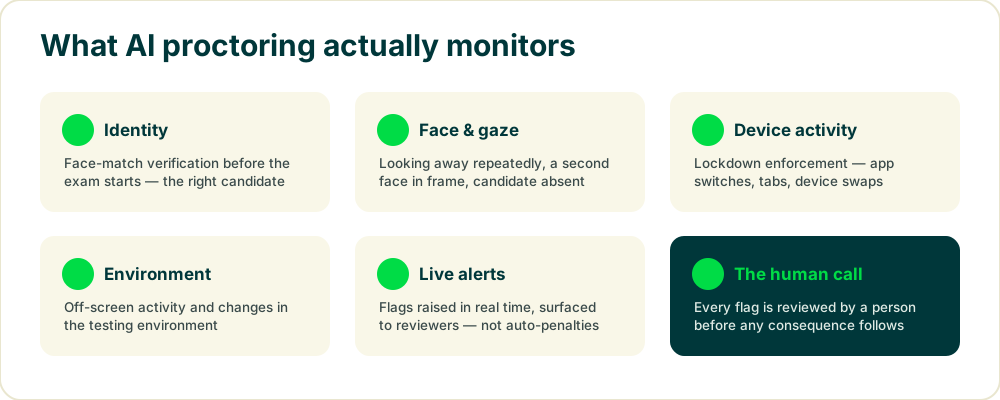
The categories are consistent across serious platforms: a face-match before the exam confirms identity; during the exam, the system tracks gaze and presence (looking away repeatedly, a second face, an empty chair), device behaviour (app switches, tab changes, device swaps) and off-screen activity. When something crosses a threshold, a flag is raised in real time.
The part administrators should scrutinise is what happens after the flag. A well-designed system surfaces flagged moments with evidence for human review — it does not auto-penalise a student for glancing at a window. ExamX runs this model at 99.2% detection accuracy with under 0.1% false positives, at up to 100,000+ concurrent sessions; whatever platform you evaluate, ask for both numbers and for the review workflow, because a system that flags everything buries your staff, and one that flags nothing defeats the point.
Proctoring and compliance
Online proctoring processes exactly the data regulators care about: video of a person, their identity, sometimes their room. Administrators should confirm three things with any vendor. Where recordings and identity data are stored, and under which regime — SOC 2, ISO 27001 and GDPR are the usual baseline, all three of which ExamX holds. How long data is retained and who can access it. And how the system accommodates students with disabilities or non-standard testing environments, because integrity tooling that misreads accommodation as malpractice creates exactly the adversarial experience accreditors warn against.
Proctoring is one layer, not the whole system
A proctoring tool confirms the exam was taken fairly. It does not write the paper, deliver it, mark it or analyse the results — which is why institutions that buy proctoring alone still run three other systems. The alternative architecture treats proctoring as one stage of a single platform: in ExamX, AI authors the paper, delivers it on web or tablets with lockdown and offline support, proctors every candidate, evaluates answers — handwritten descriptive scripts included — and reports item-level analytics the moment the cycle closes. SRM ran 80,000+ paperless exams across five campuses this way, with zero disruptions over 45 days; the detail is in the case study.
Choosing the right approach
- Match supervision to stakes. Practice quizzes need none; finals need automated AI at minimum; licensure may mandate a live human.
- Plan for your peak. Live proctoring scales by scheduling humans; automated proctoring scales by infrastructure. Finals week decides which you need.
- Interrogate accuracy claims. Ask how detection accuracy is defined, the false-positive rate, and who reviews flags.
- Check the student experience. Installs, setup calls and intrusive checks generate support tickets and distrust at scale.
- Count the whole stack. If proctoring is your third exam vendor, the honest comparison includes all three contracts — an argument we lay out in the 2026 platform shortlist.
What is proctoring: FAQs
What is proctoring in simple terms?
Supervising an exam to keep it fair — confirming who is taking it and that they are not getting unauthorised help. In person, that is an invigilator; online, it is software, a remote proctor, or both.
What does a proctor do?
Verifies identity, watches for violations, manages incidents and keeps a record. Online, AI does the watching at scale and flags anomalies for human review.
What are the main types of proctoring?
In-person, live online, recorded, automated AI, and lockdown browsers as a base layer. Most real deployments combine layers.
How does AI proctoring work?
A face match verifies identity, then the system tracks face, gaze, audio and device activity through the exam, raising real-time flags for review — in ExamX, at 99.2% detection accuracy with under 0.1% false positives.
Does AI proctoring automatically fail students?
It should not. Flags go to human reviewers with evidence; consequences are a person's decision. Ask any vendor what happens after a flag.
Do all exams need proctoring?
No — only exams whose results carry real consequences. That is where identity verification and monitoring earn their cost.
If your next step is comparing actual tools, start with the 2026 buyer's shortlist — or book a demo to see AI proctoring run on a real exam.